TP-Link
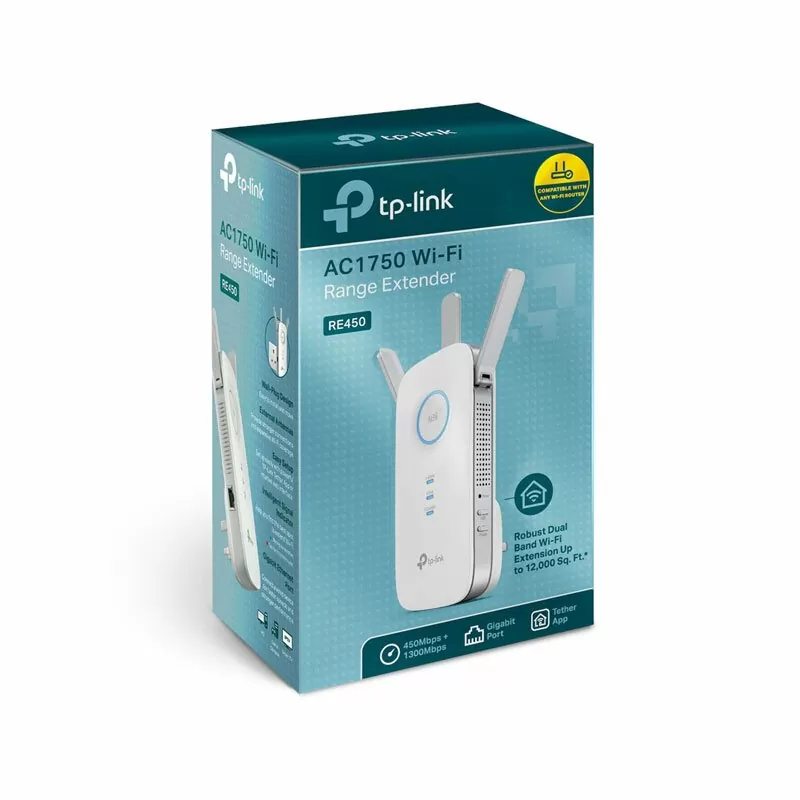
TP-Link AC1750 Mesh Wireless N Wall Plugged Range Extender - TL-RE450
KES 11,000
In Stock- Expand Wi-Fi Network for Ultimate Performance
- Expanded 450Mbps on 2.4GHz + 1300Mbps on 5GHz totals 1750Mbps Wi-Fi speeds
- Three adjustable external antennas provide optimal Wi-Fi coverage and reliable connections
- Gigabit Ethernet port acts as a wireless adapter to connect a wired device to your network at gigabit speed
- Intelligent signal light helps to find the best location for optimal Wi-Fi coverage by showing the signal strength
- Works with any Wi-Fi router or wireless access point
Product Description
TP-Link AC1750 Mesh WiFi Range Extender TL-RE450
Whether you're trying to watch stuff, get some work done, or just chill, nobody wants to deal with Wi-Fi dead zones. That's where the TP-Link AC1750 Mesh WiFi Range Extender (TL-RE450) comes in – it's still a super popular and dependable way to squash those dead zones in 2025.
Why the TP-Link TL-RE450 is Still a Good Choice:
- AC1750 dual-band speeds (up to 450 Mbps on 2.4 GHz + 1300 Mbps on 5 GHz)
- OneMesh™ – team it up with a TP-Link router for one big, happy network.
- Signal light – finds the perfect spot for the extender.
- Gigabit Ethernet port – turns the extender into a Wi-Fi adapter for stuff that needs a wired plug.
- Three antennas that send the signal where it needs to go.
- AP (Access Point) mode – makes a new Wi-Fi spot from a wired line.
- Simple setup through the Tether app.
- Works with pretty much any Wi-Fi router.
The TL-RE450 plays nice with OneMesh. If you've got a TP-Link OneMesh router, the TL-RE450 turns into part of your network.
What this means:
- One Wi-Fi name for the whole house.
- Walk around without your connection dropping.
- Control everything through the TP-Link Tether app.
- No more _EXT networks.
Basically, you can walk around your house, and your stuff stays connected.
Easy Setup
TP-Link made this thing super easy to set up:
1. Plug it in between your router and the dead zone.
2. Hit the WPS button on your router, then the RE button on the extender → done.
3. Or, use the TP-Link Tether app.
4. Use the lights to find the right spot (green = good, orange = okay, red = move it).
More Than Just an Extender
The TL-RE450 has a Gigabit Ethernet port, so you can:
* Plug in gaming devices, TVs, or computers so they get a fast connection.
* Turn it into a Wi-Fi spot from a wired connection.